Emergent rhythm
Game of Life, Gray-Scott reaction-diffusion and coupled oscillators decide where the notes fall. Spots grow and split into rhythm; flams lock into unison and fall apart again.
Generate parts, breed variations, play them from pads and drag the MIDI straight onto your timeline. There’s no sequencer or piano roll here, because your DAW already has those. It follows your tempo and transport, and everything saves with your project.
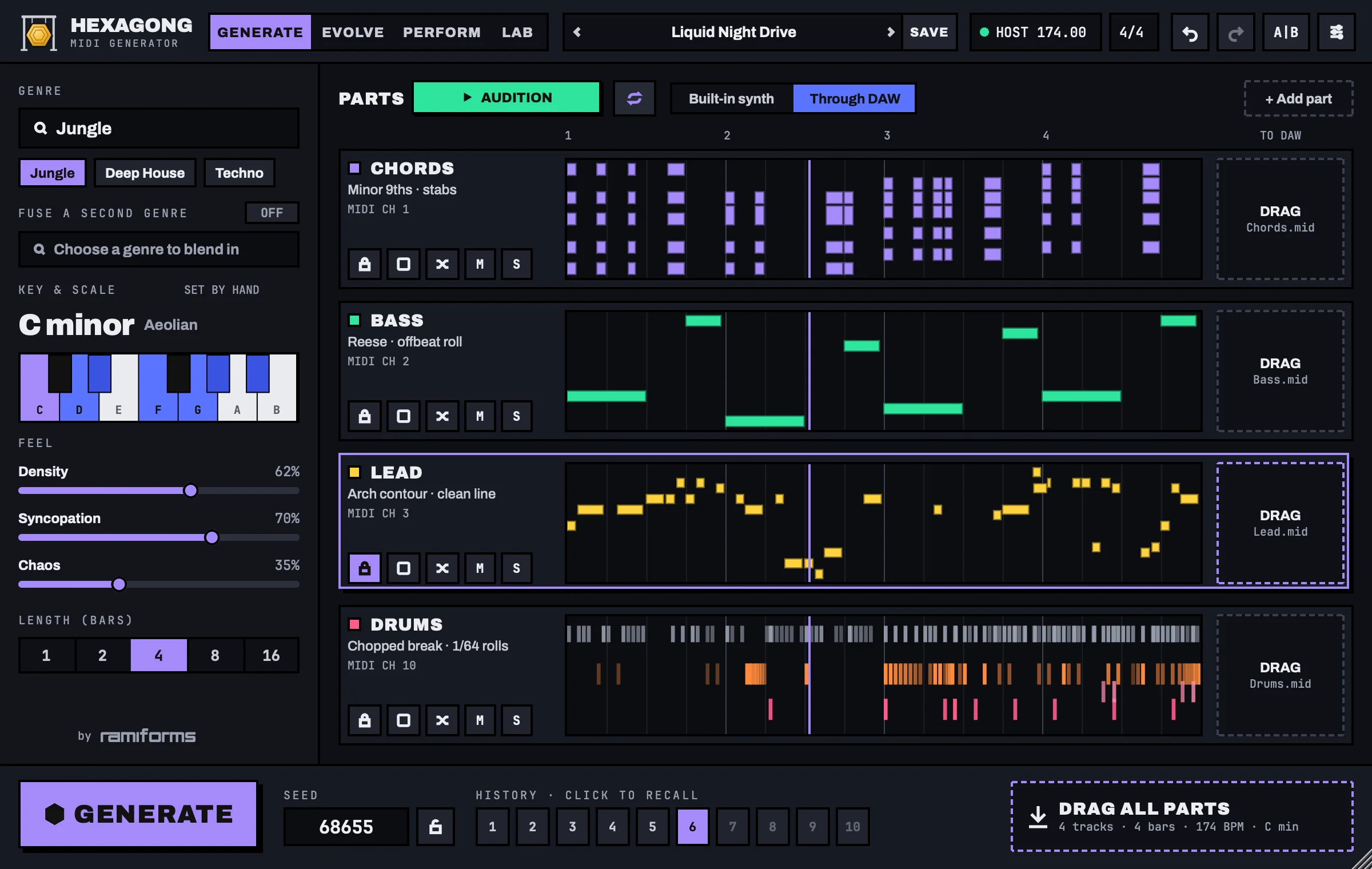
Each screen does one job.
Pick a genre, a key and a feel, then press Generate. Each part gets a preview lane, a MIDI channel, and its own lock, regenerate, variation, mute and solo. A seed and a row of recent generations mean nothing gets lost.
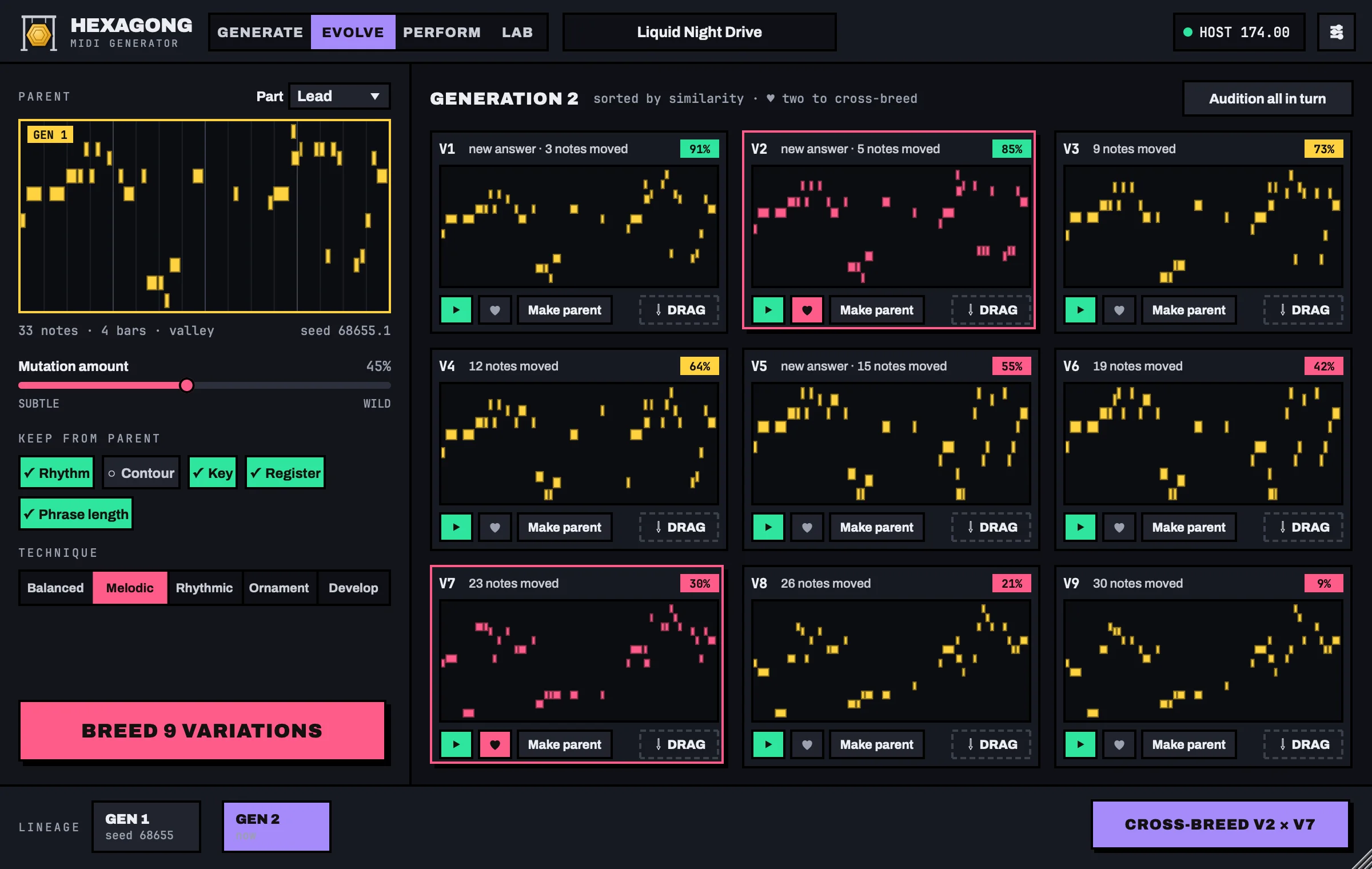
Choose what to keep from the parent: rhythm, contour, key, register or length. Hexagong evolves a large population and shows nine results, from close to wild, each described in plain language. Keep two and cross-breed them.
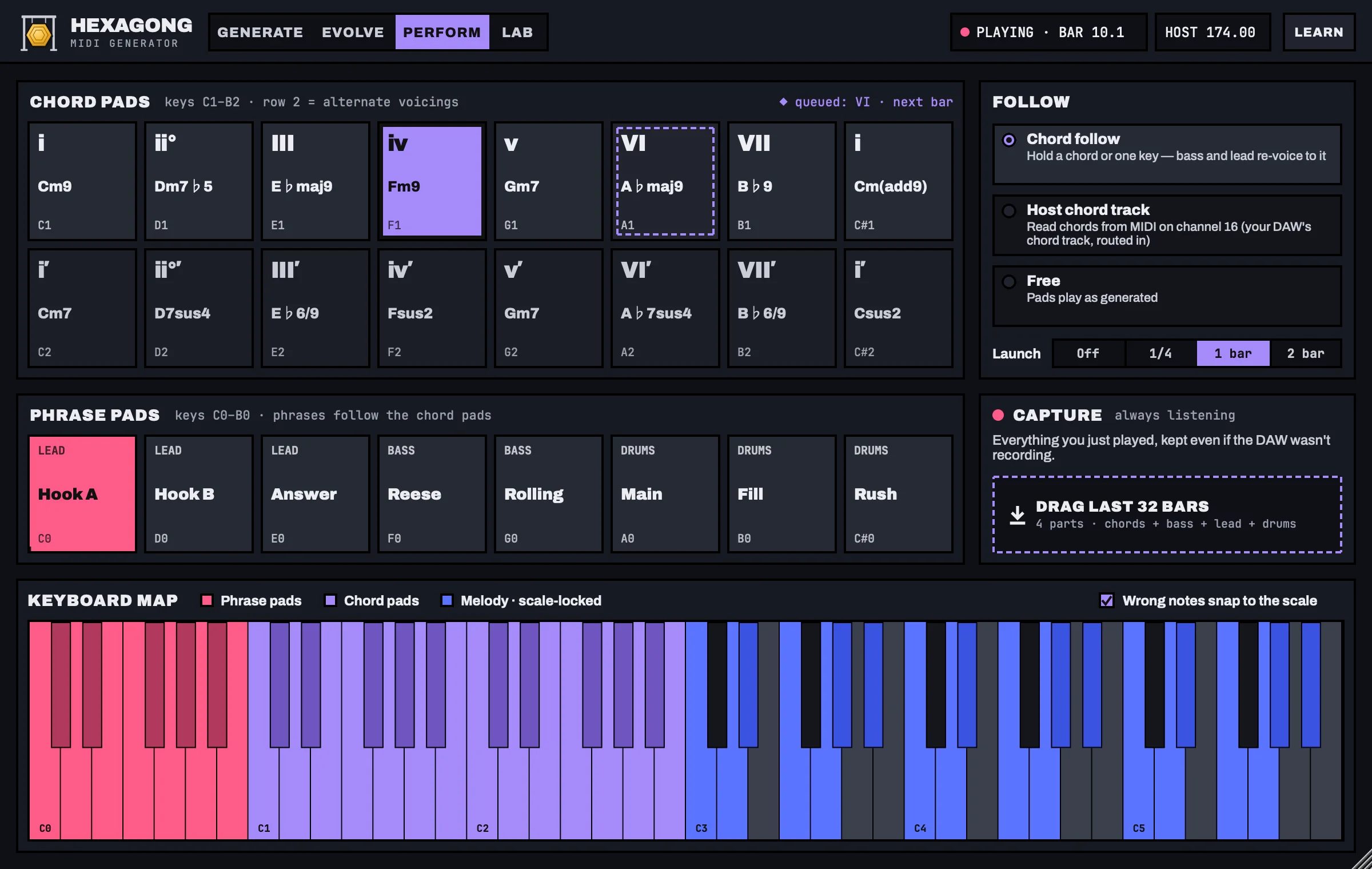
Sixteen chord pads, eight phrase pads and a melody zone are laid out across your keyboard. Launches wait for the beat or the bar. Hold a chord and the bass and lead re-voice to it. Capture keeps whatever played, ready to drag.
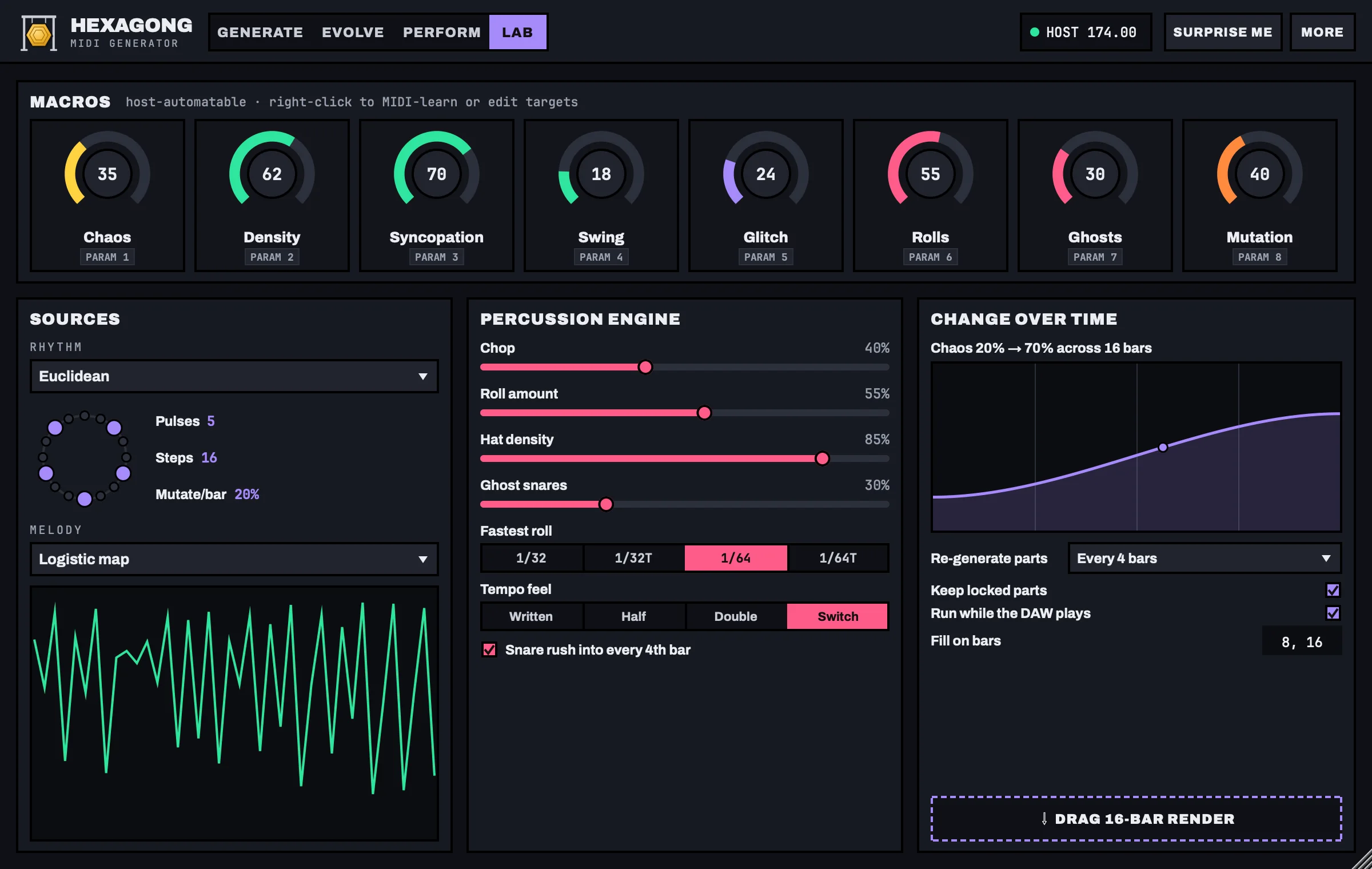
Eight big macros your DAW can automate and your controller can learn. Choose rhythm and melody sources, push the percussion engine, and let parts change over time. A MORE button opens every other control.
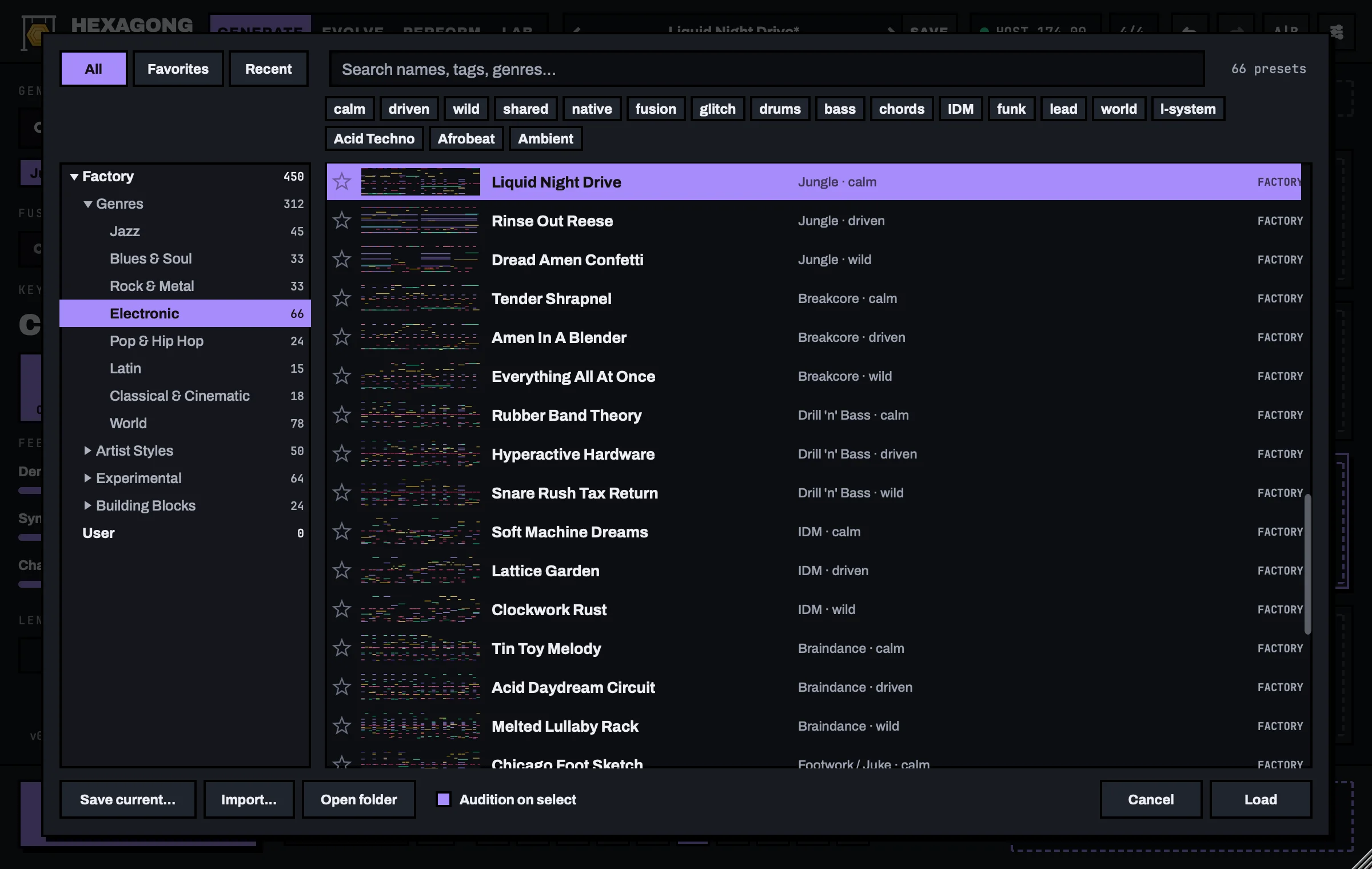
450 factory presets across genres, artist styles, experiments and building blocks. Every row has a little preview of its notes. Arrow keys audition as you go, and Cancel puts everything back.
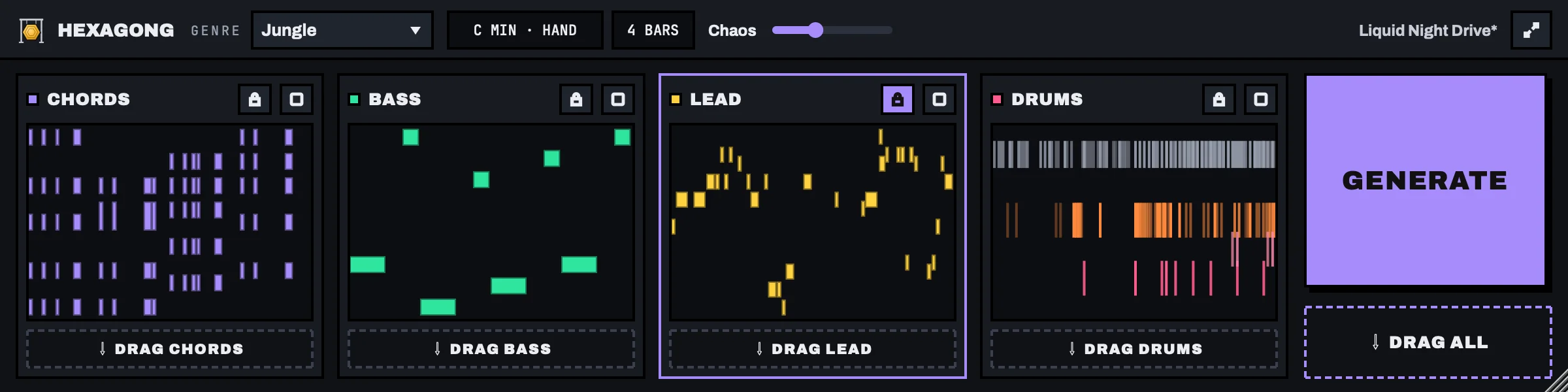
Short on screen space? Drag the window small and it becomes a strip with just the parts, Generate and Drag All.
The plugin’s engine is written in C++, and these features were designed around it.
Game of Life, Gray-Scott reaction-diffusion and coupled oscillators decide where the notes fall. Spots grow and split into rhythm; flams lock into unison and fall apart again.
Lorenz, Rossler and Clifford attractors, a planet flung between two suns, and an orbit near the edge of the Mandelbrot set.
Drop a MIDI file on the window, or teach it from what you just played, and a melody source improvises in that style.
Over a thousand candidates evolve in a few dozen milliseconds, keeping the best at every distance from the parent.
Mod wheel and filter curves driven by the same chaotic systems, plus pitch scoops and pressure swells inside long notes.
Chaos ramping across a section, parts re-generated as it goes, and fills on the bars you choose, all ready to drag out as one file.
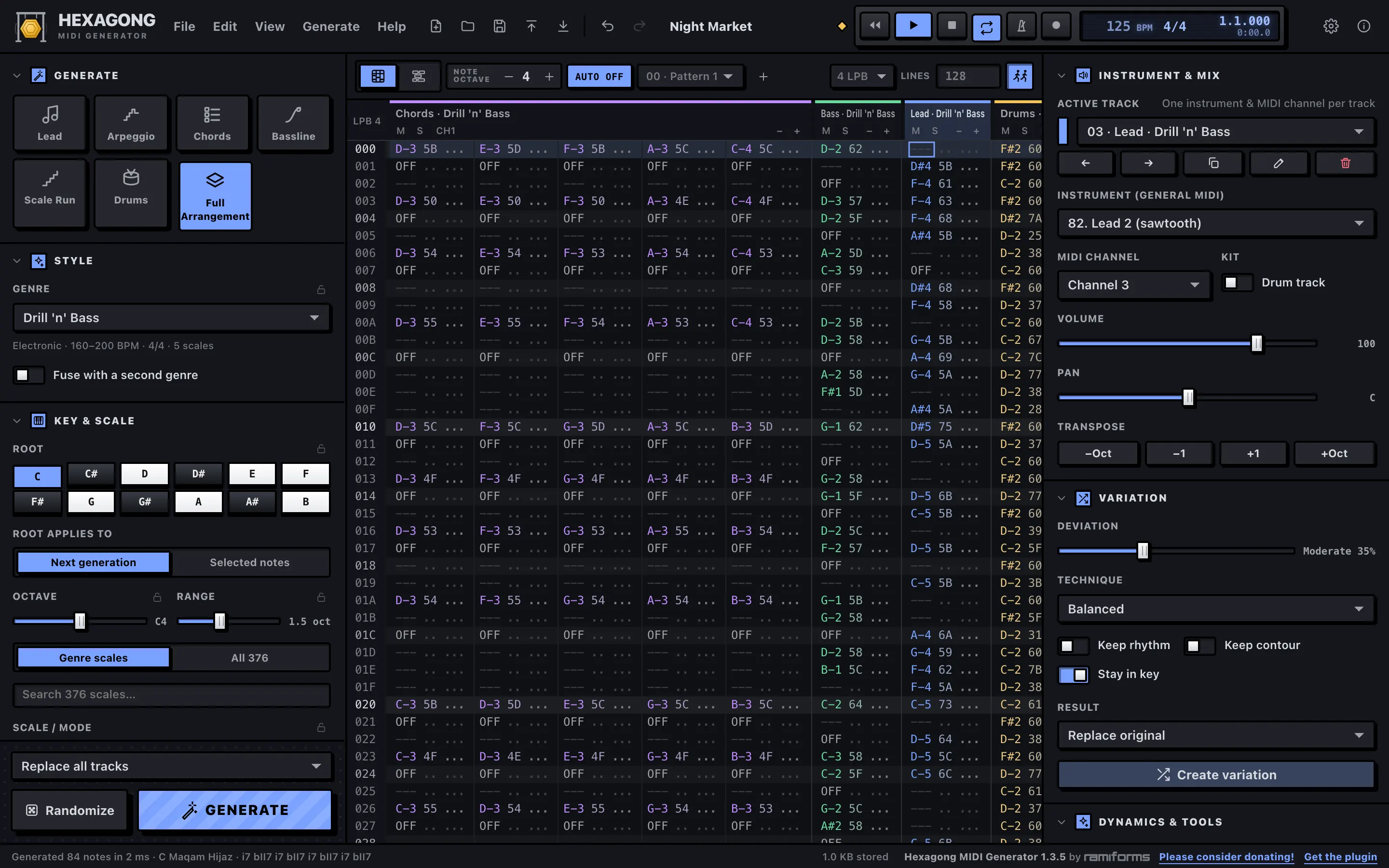
Both share the same genres, scales and generators. The web app is a complete workspace you can open anywhere. The plugin gives up its own editor and song tools to fit inside the DAW you already use.
| Feature | Web app | Plugin |
|---|---|---|
| Getting started | ||
| Where it runs | Any modern browser, or installed as an app | Inside your DAW as a plugin, or on its own as an app |
| Price | Free | A one-time purchase, on Gumroad |
| Installing | Nothing to install | An installer |
| Works offline | Yes, after the first visit | Yes |
| Making parts | ||
| Genres and scales | 104 genres, 376 scales | The same 104 genres and 376 scales |
| Genre fusion | Blend any two genres, choosing what crosses over | The same, with its own on/off switch and a blend slider |
| Generators | Lead, arpeggio, chords, bass, scale run, drums, or a full arrangement | The same generators, as up to eight parts side by side |
| Melody sources | 10, from a melodic walk to twelve-tone rows | 16, adding Lorenz, Rossler and Clifford attractors, three-body and Mandelbrot orbits, and a model trained on your MIDI |
| Rhythm sources | 6, from genre rhythm cells to cellular automata | 12, adding Game of Life, reaction-diffusion, coupled oscillators, polyrhythm stacks, a bouncing ball and Poisson rainfall |
| Variations | One at a time, with five techniques | Breeds over a thousand candidates and shows nine, with similarity scores, cross-breeding and a family tree |
| Presets | Saved projects; no preset library | 450 factory presets with search, tags, favorites and audition, plus your own |
| Editing and arranging | ||
| Note editing | A tracker and a piano roll with a velocity lane | None: parts are read-only previews, and you edit in your DAW |
| Song arrangement | Patterns and a sequencer | None: you arrange in your DAW. Change Over Time can render long sections with rising chaos and fills |
| Undo | Undo and redo for everything | Undo and redo, A/B compare, and a recallable history of generations |
| Sound and MIDI | ||
| Timing | Its own transport, tempo and meter | Follows your DAW’s tempo, meter and transport |
| Sounds | 128 sampled General MIDI instruments, a built-in synth and a drum kit | A small preview synth, or any instrument in your DAW, with one MIDI channel per part |
| Getting MIDI out | Export the song, each track in a ZIP, one track, or the selection | Drag parts, variations, captures and renders straight into your DAW, or send MIDI live |
| Hardware MIDI | Web MIDI input and output, in browsers that support it | Whatever your DAW routes to it |
| Microtones | Quarter tones as per-note pitch bend | The same, plus MPE for instruments that support it |
| Expression | Volume and pan per track | Generated mod wheel and filter lanes, pitch scoops and channel pressure |
| Playing live | ||
| Keyboard | Play through a controller, and step record | Chord pads, phrase pads, chord follow, and a melody zone that snaps wrong notes to the scale |
| Capture | None | Always listening: keeps what played, even if the DAW wasn’t recording |
| Automation | None | Eight macros and the main settings, automatable from your DAW, with MIDI learn |
| Interface | ||
| Layout | One screen: generator, editor and tracks together | Four screens (Generate, Evolve, Perform, Lab), and a compact strip when space is tight |
| Themes | 14 theme families, light and dark, 10 accent colors | The same 14 families plus the original Hexagong theme, dark, light or following the system, 10 accent colors and Reduce motion |
| Where work is saved | In your browser, with backup to a single file | In your DAW project, including history and lineage |